There is a certain kind of math that rarely makes sense until you have actually worked in the trades.
Adding 7 feet 3 5/8 inches to another field measurement. Finding the true travel of a rolling offset. Subtracting two fitting takeoffs and weld gaps from an overall spool dimension. Figuring centerline spacing between two different pipe sizes. Converting a flange rotation into a measurable distance around a bolt circle.
None of those calculations are particularly unusual on an industrial jobsite.
The problem is that they are usually scattered across different calculators, reference books, formulas, charts, notes, and apps.
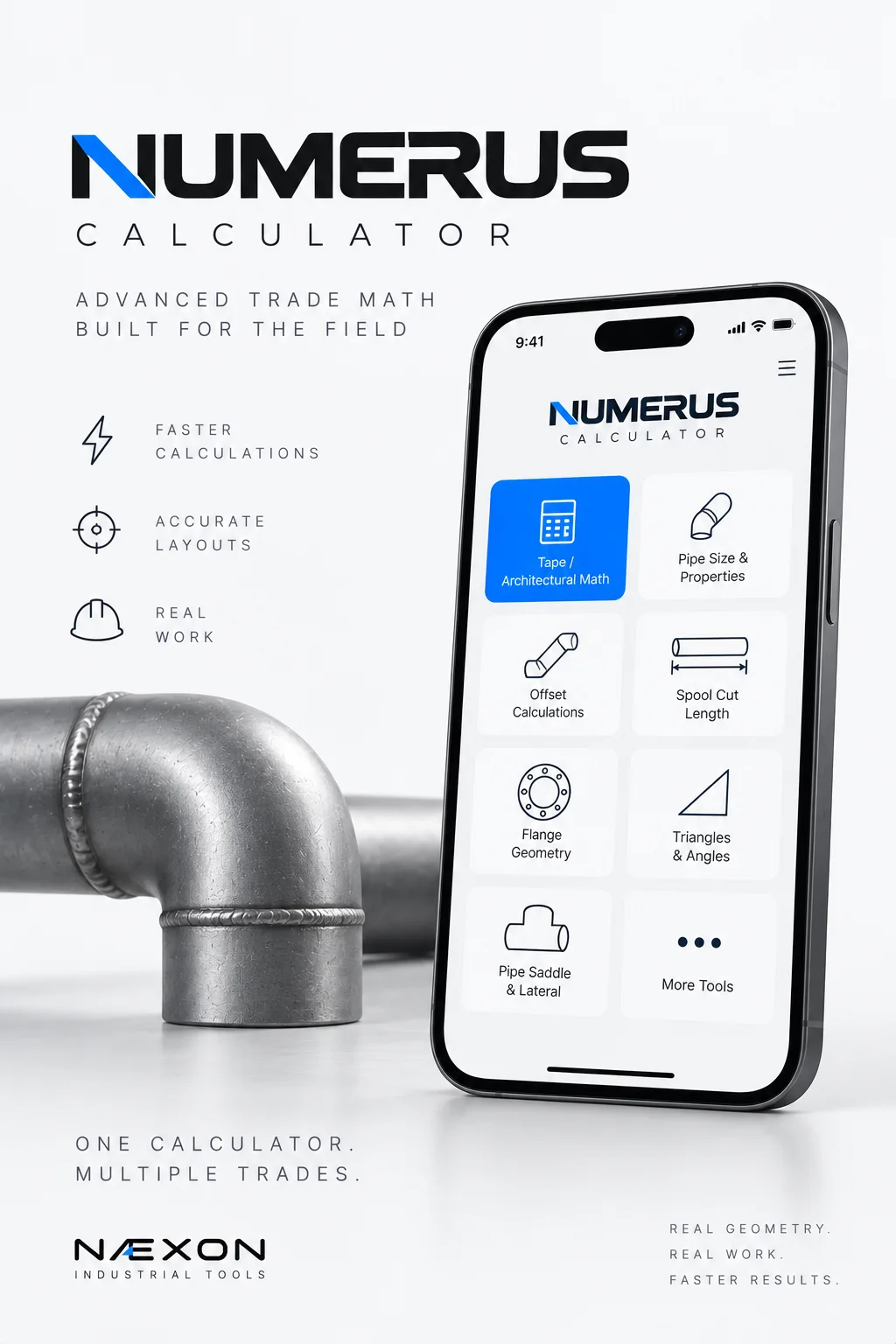
Næxon built Numerus Calculator to bring more of that field math into one place.
Numerus is an advanced trade calculator designed around the calculations used by pipefitters, welders, fabricators, millwrights, construction workers, and other tradespeople working with dimensions, angles, pipe, fittings, layouts, and industrial geometry.
More Than a Standard Calculator
Every phone already has a calculator.
Numerus wasn’t built to replace it.
It was built for the calculations a standard calculator doesn’t understand particularly well.
A conventional calculator can multiply 12.75 by 3.14159.
It doesn’t inherently understand what you mean when you enter:
12’ 7 3/8”
It doesn’t know what a long-radius elbow takeoff is.
It doesn’t know what a rolling offset is.
It doesn’t know that a spool cut length may require subtracting fitting takeoffs, weld gaps, and other allowances from an overall center-to-center dimension.
Numerus does.
That difference is what makes it a trade calculator rather than simply another calculator interface.
Feet, Inches and Fractions Without Converting Everything First
Tradespeople constantly work with architectural measurements.
Feet.
Inches.
Fractions.
Numerus includes Tape / Architectural Math, allowing field measurements to be entered in the format tradespeople actually use.
For example:
12’ 7 3/8”
or
4’ 11 5/8”
Measurements can then be added, subtracted, multiplied, or divided without first converting everything into decimal feet or decimal inches.
For fabrication, construction layout, carpentry, piping, structural work, and general field measurement, that can eliminate a repetitive step from everyday calculations.
Numerus also includes a Decimal ↔ Fraction calculator for converting decimal-inch results into practical field fractions using a selected denominator.
Pipe Information in One Calculation
Selecting a nominal pipe size doesn’t tell you everything about that pipe.
Numerus includes a Pipe Size & Property Calculator that works with NPS/DN, schedule, and material information to provide useful pipe properties.
Depending on the inputs, the calculator can provide information including:
Actual outside diameter
Wall thickness
Inside diameter
Internal flow area
Steel weight
Internal volume
Water-filled weight
That makes Numerus useful before the layout even begins.
The same principle appears throughout Næxon pipefitting education: nominal size and actual dimensions are not interchangeable.
For a practical example, Næxon’s Saddle Pipe Layout: Circumference and Degrees explains why actual outside diameter matters when developing a pipe saddle.
Calculate Simple Offsets
Offset calculations are part of everyday pipefitting.
Numerus includes a Simple Offset Calculator that accepts the offset and fitting angle and calculates the geometry required for the connection.
Instead of limiting the calculation to one standard fitting angle, Numerus supports any-angle offset calculations.
That becomes useful when the geometry doesn’t fall neatly into the common angles everyone memorizes.
The goal isn’t to make the fitter forget offset math.
It’s to give the fitter a faster way to calculate and verify it.
Solve Rolling Offsets
A rolling offset adds another dimension.
Instead of moving in only one plane, the piping moves horizontally and vertically at the same time.
Numerus allows you to enter:
Horizontal roll
Vertical roll
Fitting angle
The calculator then determines the resulting geometry, including the true offset, roll angle, and travel.
This is exactly the kind of calculation where a small mistake early in the process can create a much larger problem when the spool reaches the field.
Calculate it.
Understand it.
Then check it.
Elbow Takeoffs Without Digging Through References
Fitting takeoffs are another calculation pipefitters repeatedly encounter.
Numerus includes an Elbow Takeoff Calculator for theoretical center-to-end dimensions on long-radius and short-radius 90-degree elbows.
A custom takeoff mode is also available when the fitting being used doesn’t match the theoretical standard dimension.
That last part matters.
Field fabrication should be based on the fitting you’re actually installing—not blindly on what a calculator says a fitting should measure.
Numerus provides the calculation.
The tradesperson verifies the material.
Calculate Pipe Spool Cut Length
This is where several separate pieces of field math start working together.
Numerus includes a Pipe Spool Cut-Length Calculator.
Enter the overall or center-to-center dimension, then account for:
Left fitting takeoff
Right fitting takeoff
Weld gap
Number of gaps
Other allowance
Numerus calculates the resulting pipe cut length.
The basic concept is straightforward:
Overall Dimension − Fitting Takeoffs − Required Gaps ± Allowances = Pipe Cut Length
But anyone who has fabricated multiple spools knows how quickly repetitive arithmetic becomes an opportunity for error.
Numerus is designed to make that process faster while leaving verification where it belongs—with the fitter.
Cutback and Weld-Gap Calculations
Numerus also provides a dedicated Cutback / Weld Gap calculation.
Enter the raw cut length, gap at each joint, and number of gaps.
The calculator handles the resulting length correction.
It is a small calculation.
It is also exactly the kind of small calculation performed repeatedly throughout fabrication.
Those repetitive calculations are where a field-oriented calculator can save the most time.
Slope and Grade Calculations
Not every pipe is installed level.
Drain piping, process systems, gravity systems, and many other installations require controlled slope.
Numerus includes a Slope / Grade Calculator that works with:
Run
Slope percentage
Fall per foot
This allows the user to move between percentage-based slope and field-friendly fall-per-foot measurements.
The result can then be translated into actual elevation changes along the run.
Pipe Spacing
Running multiple pipes beside each other requires more than guessing at centerline distance.
Numerus includes a Pipe Spacing Calculator based on:
Pipe A outside diameter
Pipe B outside diameter
Required clear gap
The calculator determines the required centerline spacing.
That is useful when laying out pipe racks, supports, parallel runs, or fabrication where a specified edge-to-edge clearance needs to become a centerline measurement.
Tank Wrap and Hexagon Geometry
Some piping routes require geometry that is uncommon enough that most people don’t keep the entire calculation memorized.
Numerus includes Tank Wrap / Hexagon geometry for developing a regular six-sided route around a circular tank.
Enter the tank diameter and desired clearance to the pipe centerline.
The calculator develops the corresponding hexagonal geometry.
This is a good example of the larger idea behind Numerus:
Put uncommon but useful trade calculations in the same place as the calculations you use every day.
Dummy Leg and Support Geometry
Pipe supports often create simple geometric problems that still require accurate dimensions.
Numerus includes a Dummy Leg / Support Geometry Calculator using horizontal and vertical projections to solve the resulting right-triangle geometry.
Rather than reaching for another calculator, the calculation stays inside the same trade-focused workspace.
Flange Bolt Circle Calculations
Flange layout has its own geometry.
Numerus includes a Flange Bolt Circle Calculator where the user can enter:
Bolt circle diameter
Number of holes
Starting rotation
The calculator then determines bolt-hole positions around the circle.
This can help when working through flange orientation, layout, fabrication, or checking bolt-hole geometry.
Two-Hole and Flange Rotation
Knowing that a flange needs to rotate a certain number of degrees is one thing.
Knowing how far that rotation moves along the bolt circle is another.
Numerus includes a Two-Hole / Rotation Calculator that converts a bolt-hole clocking angle into a measurable linear chord based on the bolt-circle diameter.
That gives the tradesperson another way to translate angular geometry into something that can actually be measured.
Right-Triangle Math
Triangles are everywhere in industrial layout.
Offsets.
Bracing.
Supports.
Structural layout.
Rigging geometry.
Diagonal measurements.
Numerus includes a Right Triangle Calculator where any two known sides can be entered and the remaining side solved.
That keeps basic field geometry immediately accessible without switching tools.
Circle, Arc and Chord Calculations
Circular layout appears throughout piping and fabrication.
Numerus includes Circle / Arc / Chord calculations using diameter, arc angle, and divisions.
This can assist with layout where positions need to be established around a circumference or where an angular measurement needs to become a linear measurement.
Understanding circumference is also fundamental to pipe pattern development. Næxon’s Saddle Pipe Layout: Circumference and Degrees provides a deeper explanation of how degrees translate into physical positions around a pipe.
Flow, Pressure and Pipe Content
Numerus goes beyond fabrication geometry.
The calculator currently includes tools for:
Flow from inside diameter and velocity
Pressure to force
Pipe hydrostatic content
These calculations can help tradespeople understand the physical systems behind the pipe—not simply the dimensions required to fabricate it.
For another example of why basic system calculations matter, Næxon’s How to Calculate Thermal Expansion in Industrial Piping explains how temperature, material, and pipe length combine to create movement in an operating piping system.
Industrial Unit Conversions
Industrial projects rarely stay inside one convenient set of units.
Numerus includes an Industrial Unit Conversion section for quickly converting values between commonly encountered measurement systems.
That keeps conversions alongside the calculations where those converted values may actually be used.
Pipe Saddle and Lateral Pattern Generation
Numerus even includes pipe saddle and lateral pattern functionality.
Users can enter information including:
Branch OD
Header OD
Branch angle
Centerline offset
Axial cut allowance
Ordinate divisions
The calculator can then generate a developed pattern, ordinate information, and SVG output.
For more advanced dedicated saddle-pattern development, Næxon also offers Rapit Pro.
Rapit Pro is built specifically around pipe saddle and lateral pattern development, including connection geometry, pattern visualization, fabrication information, and printable template workflows.
Together, the two tools serve different purposes.
Numerus handles a broad range of trade calculations.
Rapit Pro goes deeper into saddle and lateral pattern development.
One Calculator. Multiple Trades.
Numerus was heavily influenced by pipefitting because pipefitting combines so many types of field math.
But many of the calculations extend well beyond one craft.
A carpenter works with feet, inches, fractions, diagonals, slope, and geometry.
A millwright works with measurements, alignment, spacing, circles, and equipment geometry.
A fabricator works with cut lengths, angles, arcs, chords, and layout.
A welder needs to understand joint preparation, fit-up dimensions, pipe geometry, and fabrication measurements.
An industrial tradesperson constantly converts drawings and dimensions into physical work.
That is the territory Numerus was built for.
Built Around the Way Tradespeople Actually Work
There is an important philosophy behind Næxon Industrial Tools.
The objective isn’t to take knowledge away from the tradesperson.
It’s to remove unnecessary repetition.
Industrial crafts have always developed their own tools because the people performing the work recognize inefficiencies that someone outside the trade may never notice.
Næxon explored this idea in Built by the Trades: Why the Best Jobsite Gear Often Starts With a Worker Saying, “I Can Make That Better”.
Numerus follows the same philosophy.
If a tradesperson performs the same calculation over and over, there should be a faster way to perform it without losing an understanding of what the calculation means.
A Calculator Should Confirm Knowledge—not Replace It
Numerus is a calculation aid.
It doesn’t replace drawings.
It doesn’t replace project specifications.
It doesn’t replace manufacturer dimensions.
And it doesn’t replace the tradesperson’s responsibility to verify measurements before fabrication or installation.
If Numerus calculates an elbow takeoff, check the fitting you’re actually using.
If it calculates a spool cut length, verify the overall dimension.
If it calculates pipe spacing, verify the required clearance.
If it calculates an offset, make sure the geometry matches the actual route.
The most valuable person using a calculator isn’t the person who can press Calculate.
It’s the person who understands enough to recognize when the answer doesn’t make sense.
Numerus Calculator Is Live
Numerus Calculator is now available through Næxon.
Whether you’re working through architectural measurements, pipe dimensions, offsets, rolling offsets, fitting takeoffs, spool cut lengths, slopes, pipe spacing, flange geometry, triangles, flow calculations, unit conversions, or pipe patterns, Numerus puts those calculations into one field-focused platform.
One calculator. More of the math behind the trades.
Always verify calculated dimensions against the actual material, approved drawings, manufacturer data, project specifications, applicable procedures, and field conditions before fabrication or installation.
Next: How to Use Numerus Calculator
Next in the Næxon Learning Center, we’ll break Numerus down into practical field workflows instead of simply explaining buttons.
We’ll show how to enter feet, inches and fractions, calculate a simple offset, solve a rolling offset, determine an elbow takeoff, calculate a spool cut length, work with flange rotation, solve field geometry, and use the other major Numerus tools.
Each major workflow will also be supported with clean visual diagrams showing exactly what the inputs represent in the field.
Until then, you can open Numerus Calculator and start exploring the tools.